Description
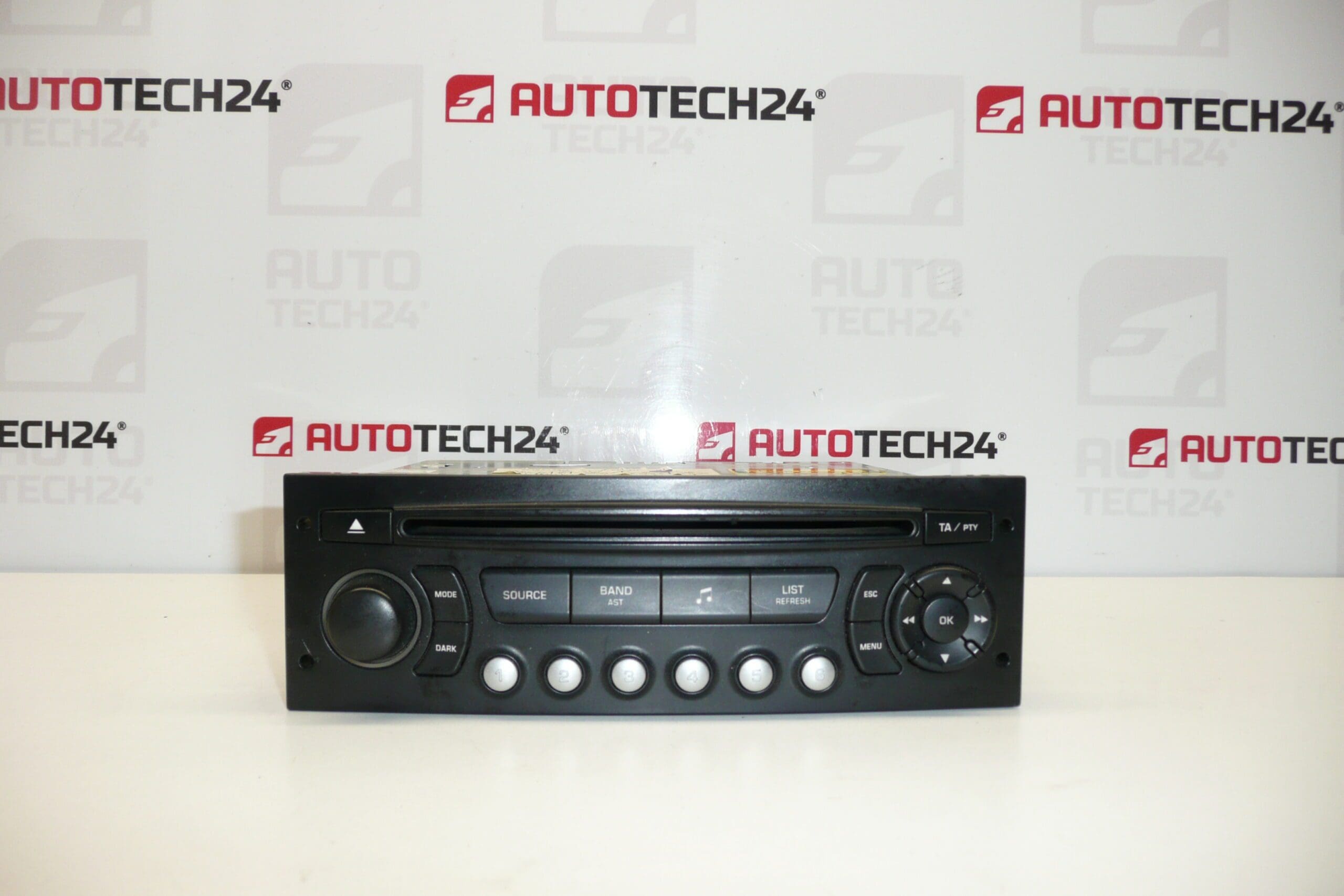
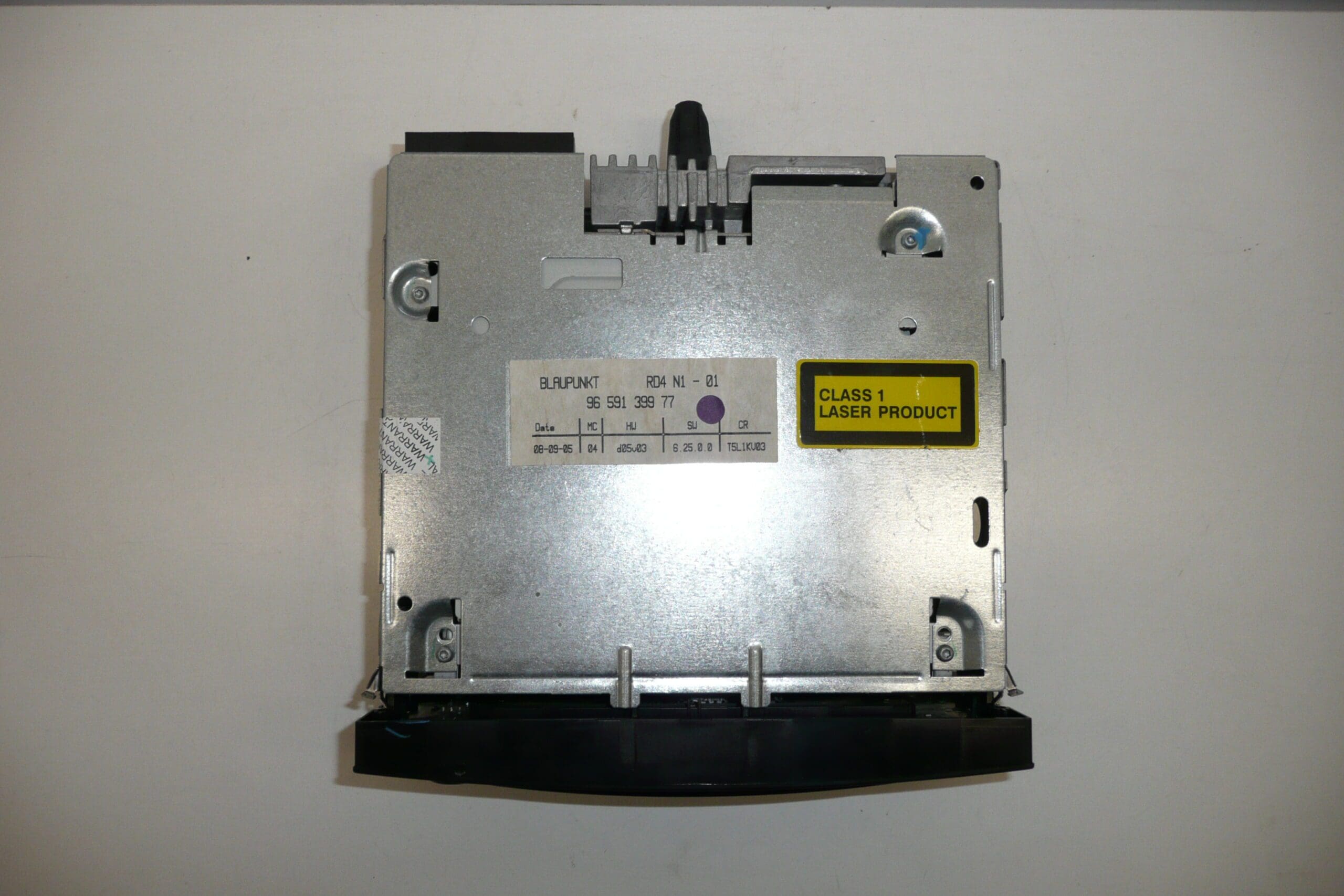
Car Radio BLAUPUNKT RD4 T5 N1 with CD for Citroën and Peugeot vehicles. The radio must be coded to the vehicle using diagnostic equipment.
Product Overview
This original-style Blaupunkt RD4 T5 N1 CD radio is a direct-fit multimedia unit for many Citroën and Peugeot models. Designed for workshop use and competent DIY mechanics, the unit retains factory integration for steering wheel controls, display compatibility and vehicle CAN-bus communication. Key search terms: Citroën radio, Peugeot RD4, RD4 T5 N1, 9659139977, 1614201480, car radio with CD, DiagBox coding.
Technical Information
- Manufacturer: Blaupunkt
- Model: RD4 T5 N1 (CD Radio)
- Product Codes: 9659139977, 1614201480
- Other Numbers: 6564K3, 6564FJ, 657927
Compatible Models
Fits a range of PSA vehicles including but not limited to:
- Citroën C2
- Citroën C3 (I) and C3 Picasso
- Citroën C4
- Citroën C8
- Citroën Berlingo III
- Peugeot 207
- Peugeot 307 II
- Peugeot 807
- Peugeot Partner Tepee / Partner III
How To Replace
- Disconnect the negative battery terminal before starting to avoid short circuits and preserve vehicle electronics.
- Remove surrounding trim panels carefully with plastic trim tools to access radio mounting bolts or retention clips.
- Use appropriate radio removal keys or unscrew mounting bolts, then slide the unit out to reach rear connectors.
- Disconnect antenna, power, speaker and CAN/vehicle harness connectors. Inspect plugs for corrosion or damaged pins.
- Fit the replacement radio by reversing removal steps. Secure the unit, reconnect harnesses and antenna, and replace trim.
- Power up and perform required diagnostic coding to enable full integration (see next section).
Installation Recommendations
- Always Disconnect The Battery Before Removal Or Installation.
- Protect Interior Trim Using Soft Tools To Avoid Scratches.
- Check Wiring And Connectors For Corrosion Or Bent Pins Before Reconnection.
- Use Official PSA Diagnostic Software (DiagBox/PP2000) Or Equivalent To Complete Coding And Activation.
- If Steering Wheel Controls Or Display Don’t Work After Fitment, Re-check Coding And Bus Connections.
Reason Why This Part Fails Most Often
Common failure modes for RD4 series radios include mechanical wear of the CD mechanism and laser, intermittent contacts or broken solder joints on the internal PCB, damage from voltage spikes or poor battery disconnection during vehicle work, and connector corrosion from moisture. In many cases faults present as refusal to read discs, loss of audio on one or more channels, missing display information or failure to power up.
Practical Tips For Mechanics And DIYers
- Test Unit Operation On The Bench With A 12V Supply Before Final Fitment To Isolate Vehicle Wiring Issues.
- When Replacing, Keep Original Mounting Hardware And Brackets To Ensure Correct Fit.
- If The CD Mechanism Is Faulty, Consider Replacing The Unit Rather Than Repairing The Mechanism In The Workshop Unless You Have Specific Spare Parts.
- Store Removed Units In A Dry, Static-Free Environment While Awaiting Diagnostics Or Coding.
Note About Coding
This radio requires diagnostic coding to the vehicle to restore full functionality. Coding is performed with PSA diagnostic equipment to pair the unit with the vehicle network and enable features such as steering wheel control and display messages. If you are performing the replacement yourself, ensure you have access to appropriate diagnostic software and follow manufacturer procedures for activation.