Description
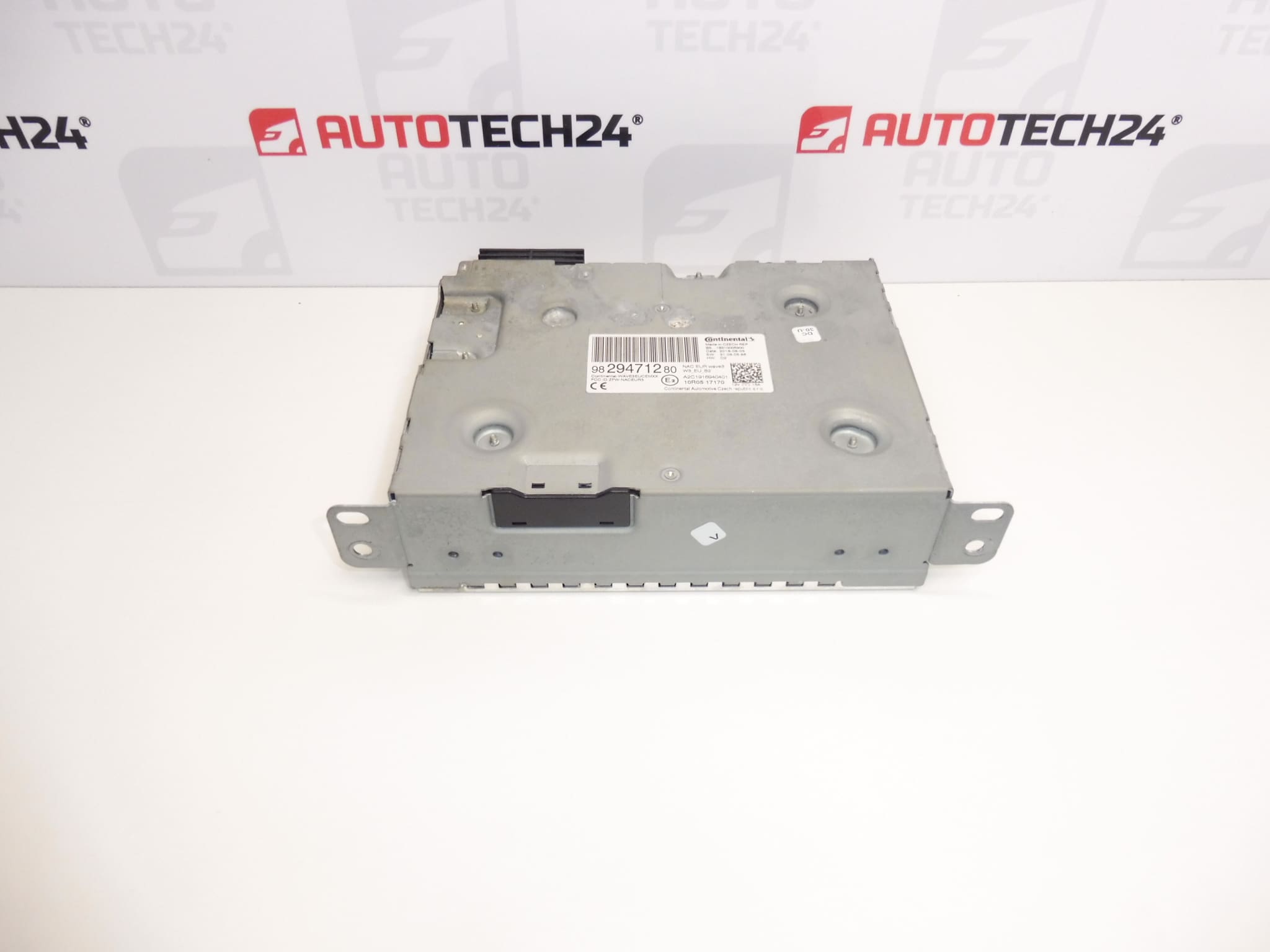
CONTINENTAL NAC Wave3 telematics receiver for Stellantis vehicles
Must be uploaded and configured to the vehicle using diagnostics
From a 2020 Citroen Berlingo
Part description
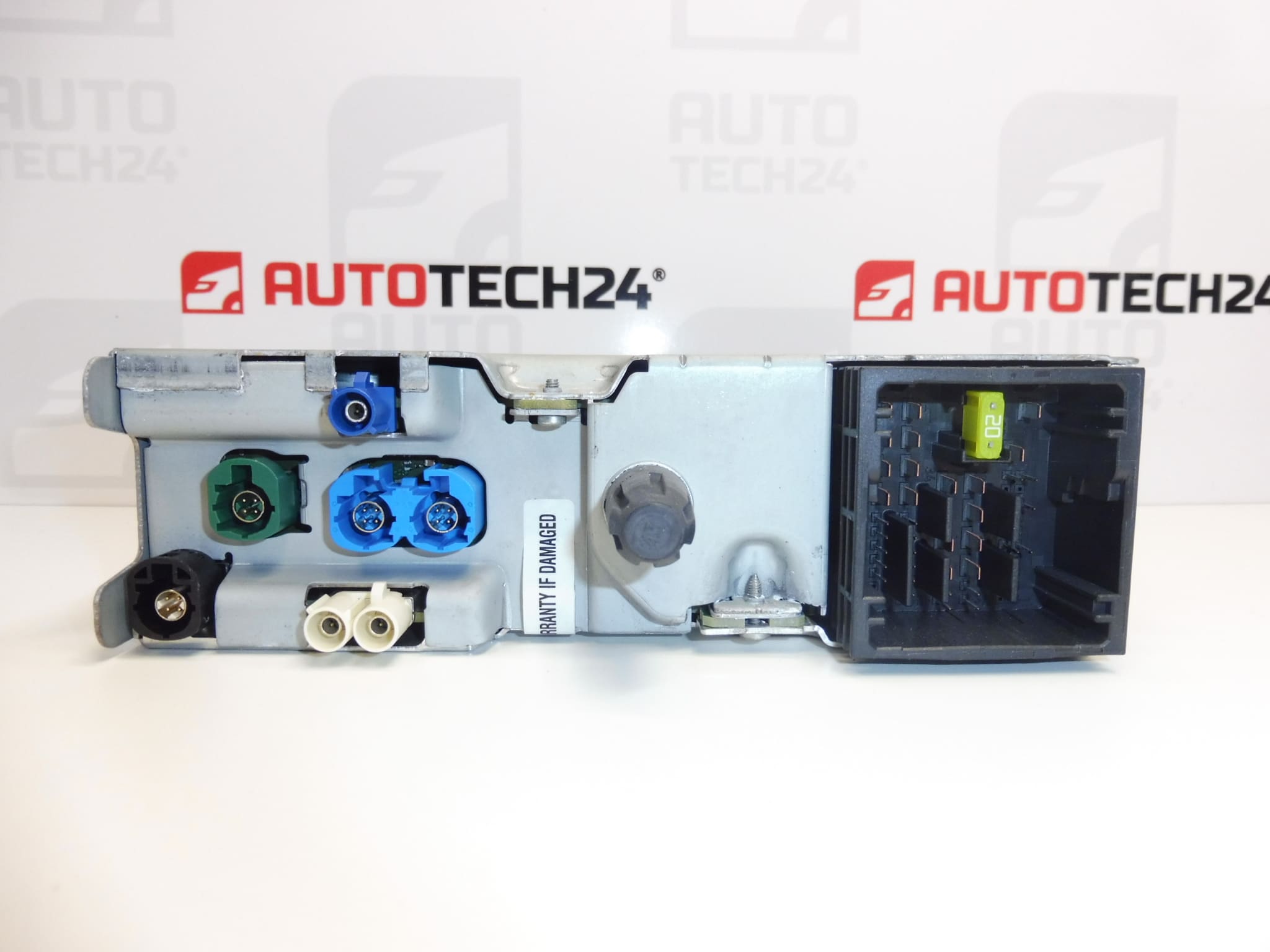
The used Continental NAC Wave3 telematics receiver, part number 9829471280, is an electronic component of the vehicle’s infotainment system. It is a suitable choice when looking for a replacement unit for a damaged or non-functional original receiver. For this type of part, it is important to compare not only the NAC Wave3 designation, but also the product numbers, connectors, and design of the original unit.
The offered unit comes from a 2020 Citroen Berlingo. The records list it for the Citroën Berlingo K9, OPEL COMBO E K9, and PEUGEOT RIFTER models. This classification alone does not confirm compatibility with every trim variant. After installation, the unit must be uploaded and configured to the vehicle using diagnostics, so please take this into account when planning the replacement.
Technical information
- Manufacturer: Continental
- Model: Citroën Berlingo K9 | OPEL COMBO E K9 | PEUGEOT RIFTER
- Part type: telematics receiver
- Unit designation: NAC Wave3
- Main product number: 9829471280
- Other numbers: 1635515480, 1680428380
- Part origin: 2020 Citroen Berlingo
- Condition: used part
- Requirement for operation: upload and configure to the vehicle using diagnostics
Product codes
Product codes: 9829471280, 1635515480, 1680428380.
When selecting a part, compare the numbers with the designation on the original receiver. The listed numbers come from the information provided for this offer; without further technical details, they do not establish universal interchangeability between all versions.
Installation recommendations
The following procedure generally applies to this type of electronic part. The exact removal procedure, access to the unit, and diagnostic configuration method depend on the specific vehicle model and version. Installation should be entrusted to someone experienced in automotive electronics and equipped with suitable diagnostic tools.
1) Before installation
- Compare the product numbers, NAC Wave3 designation, housing shape, mounting points, and connectors with the old unit.
- Inspect the used part: check the connector pins, latches, mounting points, and for any signs of moisture, corrosion, or overheating.
- Before replacement, check the vehicle’s power supply, relevant fuses, and wiring. A fault in these components can produce symptoms similar to a receiver fault.
- If the original unit is accessible through diagnostics, record its identification and available settings for subsequent setup.
2) Tools and materials required
- Standard hand tools suitable for the fasteners used, and plastic tools for careful removal of trim.
- A flashlight, protective equipment, and products suitable for gently cleaning electrical connectors, if cleaning is needed.
- Diagnostic equipment capable of performing the required upload and configuration of the unit to the vehicle.
- A suitable device for stabilizing the power supply during programming, if required by the service procedure being used.
3) Step-by-step installation procedure
- Record the original fault symptoms and, where possible, run diagnostics before removal.
- Switch off the ignition, allow the electronic systems to enter their sleep state, and disconnect the battery according to the vehicle manufacturer’s procedure.
- Remove the necessary covers or trim according to the service documentation. Release plastic clips without using excessive force.
- Document the cable routing and connector connections so the original arrangement can be retained.
- Release the original receiver’s mounting and disconnect the connectors using their locking tabs. Do not pull on the wires.
- Check the wiring and connector counterparts. Resolve any damaged contacts or signs of water ingress before connecting the replacement part.
- Compare both units and connect the replacement receiver. The connectors must seat and lock without excessive force.
- Secure the unit as originally installed and route the wiring so it is not pinched, under tension, or routed over sharp edges.
- Restore the power supply according to the manufacturer’s procedure and perform the required upload and configuration of the unit to the vehicle using diagnostics. Do not interrupt the power supply or diagnostic connection during this process.
- Check that the receiver works and, after a successful check, complete the reinstallation of the trim.
4) Post-installation checks and function verification
Check the unit’s communication with the vehicle, the response of the controls, and the infotainment functions included in the specific trim. Use diagnostics to check for any remaining faults and verify that the system can be switched off and restarted repeatedly. If a road test follows, monitor stable operation; perform configuration and detailed checks only while safely parked.
5) Most common installation errors and how to avoid them
- Choosing based only on appearance: also compare the numbers, designation, and connector design.
- Skipping diagnostic configuration: uploading and configuring this unit to the vehicle is explicitly required.
- Working on a live circuit: follow the prescribed procedure for switching off and disconnecting the power supply.
- Damaging the connectors: release the locking tabs first and never force the connectors together.
- Interrupting programming: before starting, ensure the power supply and connection conditions required by the service procedure are met.
Reasons why the part may be damaged
The following factors can generally cause telematics receiver failure. These are not faults identified in the offered unit:
- Moisture and water ingress, which can cause contact corrosion and damage to the electronics.
- Unstable power supply or electrical surges, which put stress on electronic circuits.
- Thermal stress and component aging, which can lead to intermittent failures.
- Mechanical damage during careless removal, particularly damage to connectors and mounts.
- Inappropriate software intervention or interrupted uploading, which can prevent the unit from starting correctly.