Description
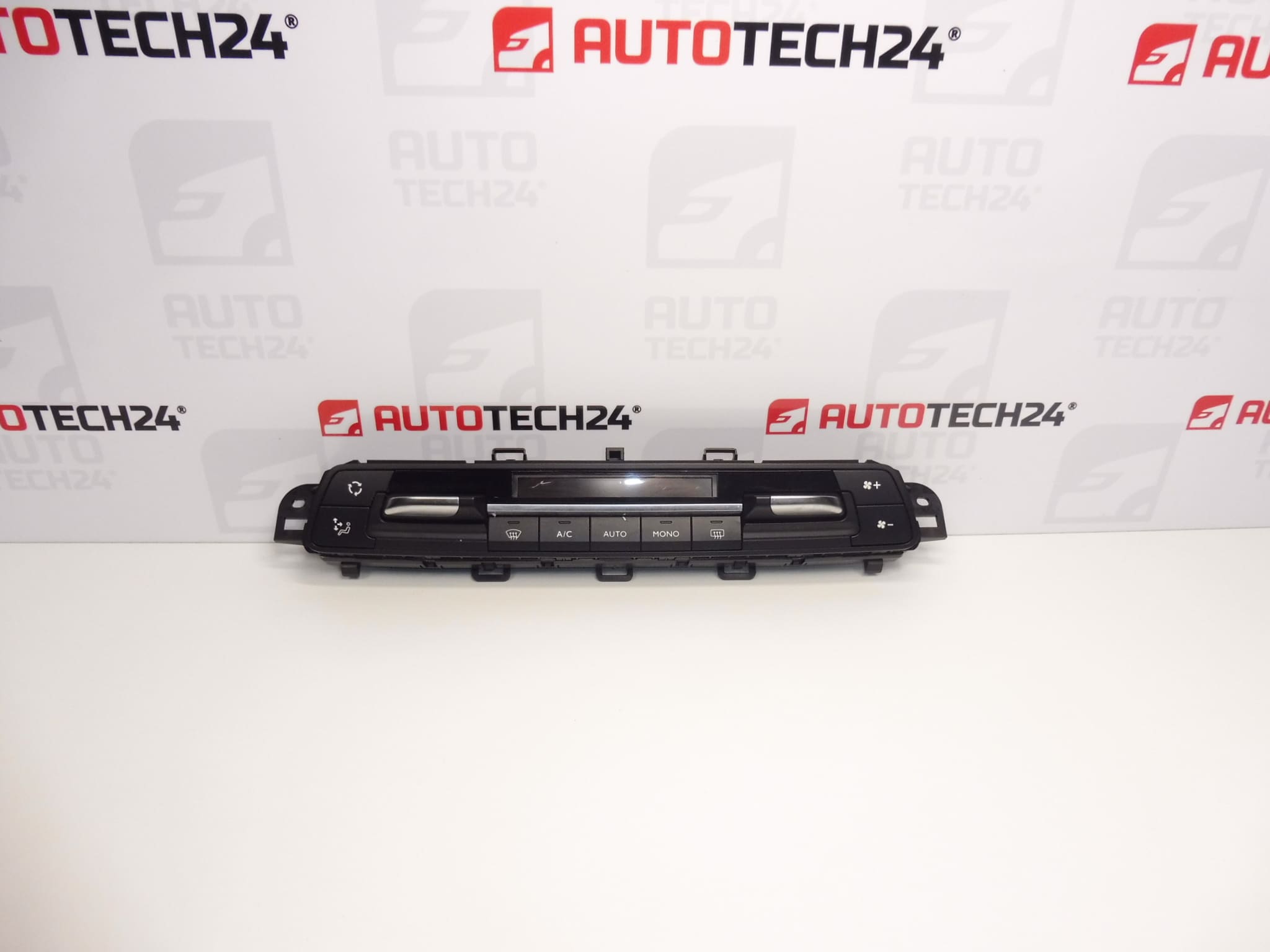
Heater and air conditioning control unit for Citroën Berlingo K9, Peugeot RIFTER and Opel COMBO vehicles
The protective display glass has a small crack; fully functional
Part description
Used heater and air conditioning control unit 98075402ZD is used to operate the vehicle’s heating and air conditioning. It is intended for the vehicles listed in the documentation: Citroën Berlingo K9, Peugeot RIFTER and Opel COMBO. When selecting a replacement, compare in particular the product number, control panel design and connections with the original part.
According to the description, the part is fully functional, but the protective display glass has a small crack. It is an option for replacing a faulty control unit for a customer who prioritizes functionality over flawless appearance. Take the crack into account when choosing the part and when handling and installing it.
Technical information
- Manufacturer: not specified; the designation Stellantis CITROEN PEUGEOT is listed in the documentation.
- Model: Citroën Berlingo K9 | OPEL COMBO E K9 | PEUGEOT RIFTER.
- Part type: heater and air conditioning control unit.
- Condition: used, fully functional according to the description provided.
- Visual damage: small crack in the protective display glass.
- Additional numbers: not specified.
Product codes
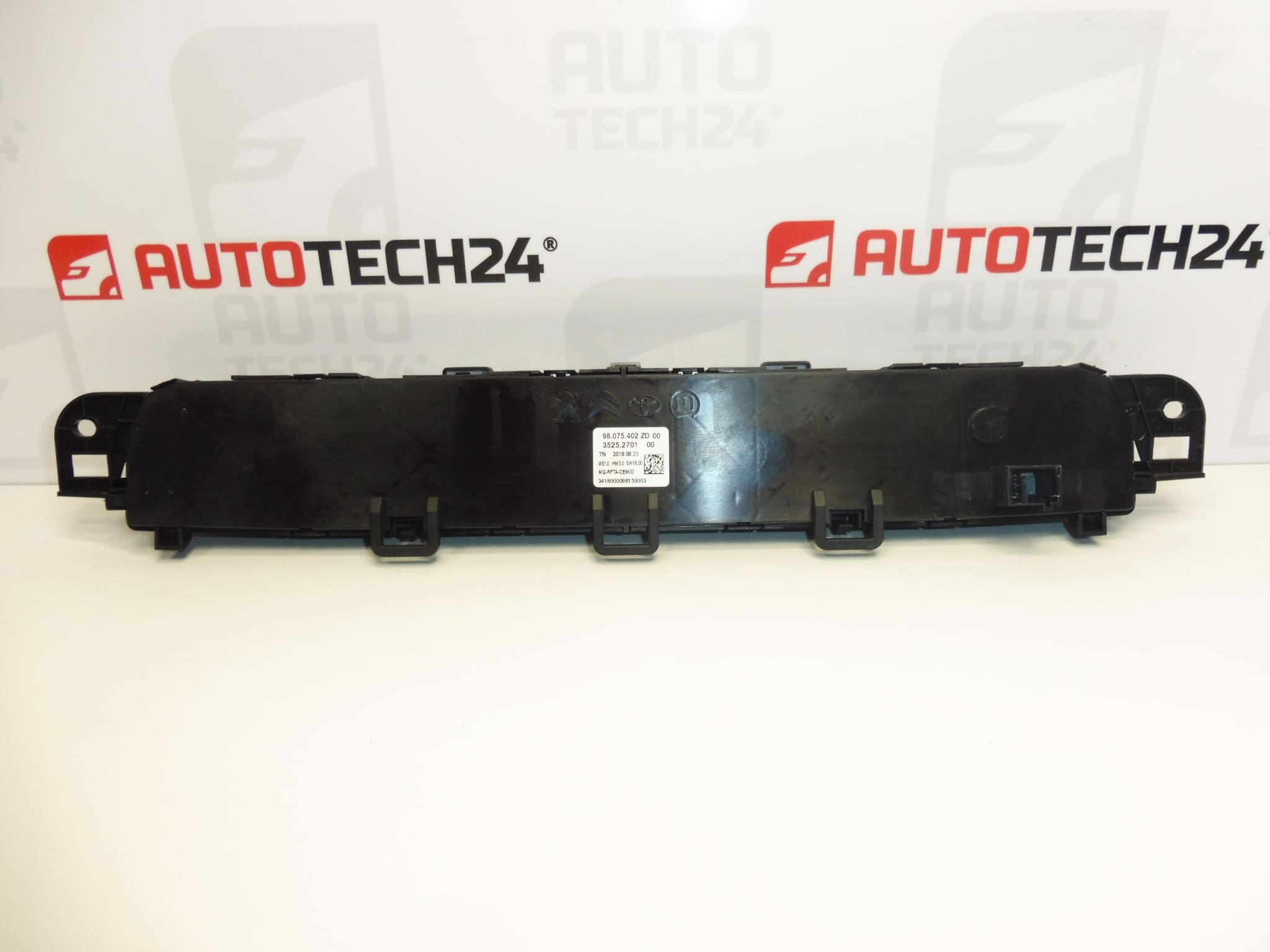
- Product codes: 98075402ZD.
- Models according to labels: Citroën Berlingo K9 | OPEL COMBO E K9 | PEUGEOT RIFTER.
Number 98075402ZD is the primary reference for finding this control unit. When comparing it with the original part, also take into account the connectors, mounting points and arrangement of the controls.
Installation recommendations
The following procedure is general and typical for replacing an electric heater and air conditioning control unit. The exact steps for removing the trim, disconnecting the power supply and any required adjustments depend on the specific model and vehicle configuration. Follow the manufacturer’s service documentation.
1) Before installation
- Compare the product number, panel shape, control layout, connectors and mounting points with the old part.
- Inspect the housing, mounting points and connector contacts. Look for loose parts, deformation, corrosion or signs of moisture.
- For this part, check the condition of the crack in the protective glass. Do not press on the glass or use it as a support point when inserting the panel.
- Before replacement, check whether the fault is caused by the power supply, wiring or another part of the system. Replacing the control unit may not resolve such a cause.
2) Tools and materials required
- Plastic tools for careful trim removal.
- Screwdrivers or suitable bits for the fasteners actually used.
- A flashlight, a soft surface for setting parts down on and a container for small fasteners.
- If necessary, a suitable measuring instrument and diagnostic equipment for checking an electrical fault.
3) Step-by-step installation procedure
- Park the vehicle safely, secure it against movement and switch off the ignition and electrical accessories.
- Following the manufacturer’s instructions, allow the electronic systems to enter standby mode and disconnect the battery using the prescribed procedure.
- Protect the surrounding surfaces from scratches and determine how the trim is fastened according to the service documentation.
- Carefully release the necessary covers. Do not force the plastic clips or use the display as a point to brace a tool against.
- Release the original control unit’s fasteners and slide it out only far enough to access the electrical connections.
- Note the wiring route and connector positions. Release their locking tabs and disconnect them by pulling on the connector body, not the wires.
- Compare the two parts side by side and inspect the vehicle connectors. Repair any damaged connections or wiring before connecting the replacement control unit.
- Connect the connectors to the replacement part without using force and check that the locking tabs are properly engaged.
- Position the control unit so that the wiring is neither pinched nor stretched. Secure it as prescribed without applying pressure to the cracked protective glass.
- Refit the trim, reconnect the battery according to the manufacturer’s procedure and perform any steps required by the service documentation after restoring power.
4) Post-installation checks and function testing
- Check that the panel is securely seated, inspect the glass and make sure none of the controls are mechanically obstructed.
- Check the display and the response of all available buttons and rotary controls, according to the vehicle’s actual equipment.
- Test changes to the heating, ventilation and air conditioning settings under conditions that allow them to operate. Monitor the system’s response, not just the change in the display readings.
- If a short test drive is necessary, operate the controls safely without taking your attention away from driving. If the system cuts out, check the connections again and continue with diagnostics.
5) Common installation mistakes and how to avoid them
- Choosing based on appearance alone: also compare the product number, connectors and control unit design.
- Pulling on the wires: release the connector lock first and handle only the connector body.
- Damaging the glass while pressing the panel into place: apply force to the solid parts of the housing, not the display.
- Pinched wiring or an unsecured connector: check the wire routing and ensure the locking tabs are engaged before final fastening.
- Replacing the part without identifying the cause of the fault: first rule out a problem with the power supply, wiring or other system components.
Reasons why the part may be damaged
The following causes of damage can generally occur with heater and air conditioning control units. The cause of the crack in this particular part is not specified in the documentation.
- Impact or pressure on the display can damage the protective glass or housing.
- Careless removal can break the mounting points, damage the connectors or put stress on the panel.
- Ingress of moisture or cleaning products can cause contact corrosion and electronic faults.
- Prolonged use can wear out the buttons, rotary controls and their contacts.
- Electrical system faults or improper handling while the power is connected can damage electronic components.